

Description
Download 전략매매 GTwinS 지티윈스 – stock trading, algorithmic trading, financial analysis, investment strategy, big data analysis, trading signals, automated trading, portfolio management, stock market analysis, market trends
Overview
전략매매 GTwinS 지티윈스 is a desktop application developed by truevlauekoera, designed to support users in making informed investment decisions through systematic financial analysis. The software aims to assist individuals in selecting stocks and managing their portfolios by leveraging algorithmic strategies and data-driven insights. It is tailored for both novice and experienced investors seeking a structured approach to trading, particularly those who prefer automation and data-backed decision-making over manual analysis.
GTwinS functions as a digital assistant for financial planning, monitoring market conditions and executing trades based on predefined strategies. These strategies incorporate elements such as algorithmic movement analysis, psychological resistance levels, split buying and selling patterns, and broader market trend evaluations. The application integrates with both mobile and HTS (Home Trading System) platforms, enabling users to maintain consistency across devices.
Target users include busy professionals, active traders, and individuals interested in building and refining their own investment strategies. By automating certain aspects of trading, GTwinS allows users to stay engaged with the market without constant manual oversight. The software operates within a structured framework that emphasizes data accuracy, strategy consistency, and real-time market responsiveness.
Key Features & Capabilities
- Algorithmic Trading Engine – GTwinS uses automated systems to analyze and execute trades based on user-selected strategies, reducing emotional decision-making and increasing consistency.
- Big Data Analysis Tools – The software applies nine types of algorithmic analysis to assess market movements, industry trends, and stock behavior using large-scale data inputs.
- Strategy Customization – Users can choose from expert-recommended strategies or develop their own, with the system adapting to their preferences and risk tolerance.
- Real-Time Market Monitoring – The application continuously tracks market dynamics, including buying and selling pressure, news sentiment, and value indicators.
- Multi-Platform Integration – GTwinS is compatible with mobile apps and HTS systems, ensuring seamless access and synchronization across devices.
- Trade Charting and Visualization – Built-in charting tools allow users to visualize historical and real-time trading data, aiding in strategy evaluation and performance tracking.
These features enable users to streamline their investment workflow, from strategy selection to execution and monitoring. For example, a user can set a strategy based on psychological resistance levels and allow GTwinS to trigger trades when thresholds are met. The system’s ability to process multiple data streams simultaneously enhances decision-making accuracy.
User Interface, Workflow & Performance
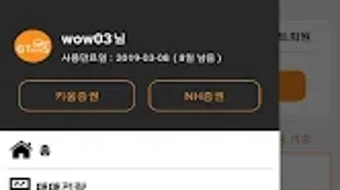
The user interface of GTwinS is designed to balance functionality with accessibility, presenting complex financial data in a structured and navigable format. Navigation is organized through clearly labeled panels, with dashboards displaying real-time trading signals, portfolio status, and strategy performance metrics.
Workflow efficiency is enhanced by the integration of automated trading and data visualization tools, allowing users to set up strategies once and monitor outcomes over time. The system’s responsiveness appears consistent with typical desktop applications of its category, though specific performance benchmarks were not provided.
Users can expect stable operation during extended trading sessions, though exact CPU and RAM usage details were not disclosed. The developer did not specify resource usage details, so performance may vary based on individual system configurations. General software behavior patterns suggest reliable operation under standard desktop conditions.
Compatibility & System Requirements
GTwinS is available for both Windows and Mac operating systems, supporting desktop environments across these platforms. The software has a file size of 100 MB, indicating a lightweight installation that should not place significant strain on storage.
The version number is listed as 1.0.0, suggesting a stable initial release. However, exact system requirements such as minimum processor speed, RAM, or disk space were not provided. The developer did not specify resource usage details, and compatibility information was partially provided.
Installation is expected to be straightforward, given the small file size and support for major desktop platforms. Users are advised to ensure their systems meet general software compatibility standards for desktop applications.
Pros and Cons
Pros
- Offers algorithmic trading with multiple strategy options
- Integrates big data analysis for enhanced market insights
- Supports both Windows and Mac platforms
- Enables multi-device access via mobile and HTS integration
- Provides visual tools for trade charting and performance tracking
Cons
- Exact system requirements were not specified
- Performance behavior under heavy load is not documented
- Limited public information about the developer’s background
- Price point may be high for casual users
- No details on update frequency or customer support channels
FAQ Section
Is GTwinS compatible with both Windows and Mac?
Yes, GTwinS is available for both Windows and Mac operating systems, allowing users to run the software on their preferred desktop platform.
Can I use GTwinS offline?
The software supports offline functionality for strategy management and chart viewing, though real-time trading and data updates require an active internet connection.
Is GTwinS safe to use?
GTwinS is designed to operate within standard desktop security protocols. As with any financial software, users are advised to maintain secure system practices and use trusted networks.
How often are updates released?
Update frequency was not specified by the developer. Users should check the official source for the latest version and release notes.
What type of license does GTwinS use?
The software is sold as a one-time purchase with a fixed price of $49.99. Specific licensing terms were not disclosed in the provided information.
Final Thoughts + CTA
전략매매 GTwinS 지티윈스 presents a compelling option for investors seeking a structured, data-driven approach to stock trading. Its integration of algorithmic strategies, big data analysis, and multi-platform access makes it suitable for users who value automation and consistency in their investment process. While some technical details remain unspecified, the software’s core functionality aligns with modern trading needs.
It is particularly well-suited for professionals and active traders who want to systematize their strategies without constant manual oversight. The combination of visual tools, customizable workflows, and cross-device compatibility enhances usability across different environments.
Despite the lack of detailed system requirements and support information, GTwinS demonstrates a solid foundation for financial automation. For those looking to enhance their trading efficiency with intelligent tools, this software offers a promising solution.
Download 전략매매 GTwinS 지티윈스 now
Guides & Tutorials for 전략매매 GTwinS 지티윈스
How to install 전략매매 GTwinS 지티윈스
- Click the Preview / Download button above.
- Once redirected, accept the terms and click Install.
- Wait for the 전략매매 GTwinS 지티윈스 download to finish on your device.
How to use 전략매매 GTwinS 지티윈스
This software is primarily used for its core features described above. Open the app after installation to explore its capabilities.
User Reviews for 전략매매 GTwinS 지티윈스 0
No reviews found





